 English
 العربية

Moving a Home Office in Dubai: Pack Your Desk, Tech and Files Safely

Moving a Home Office in Dubai: Pack Your Desk, Tech and Files Safely
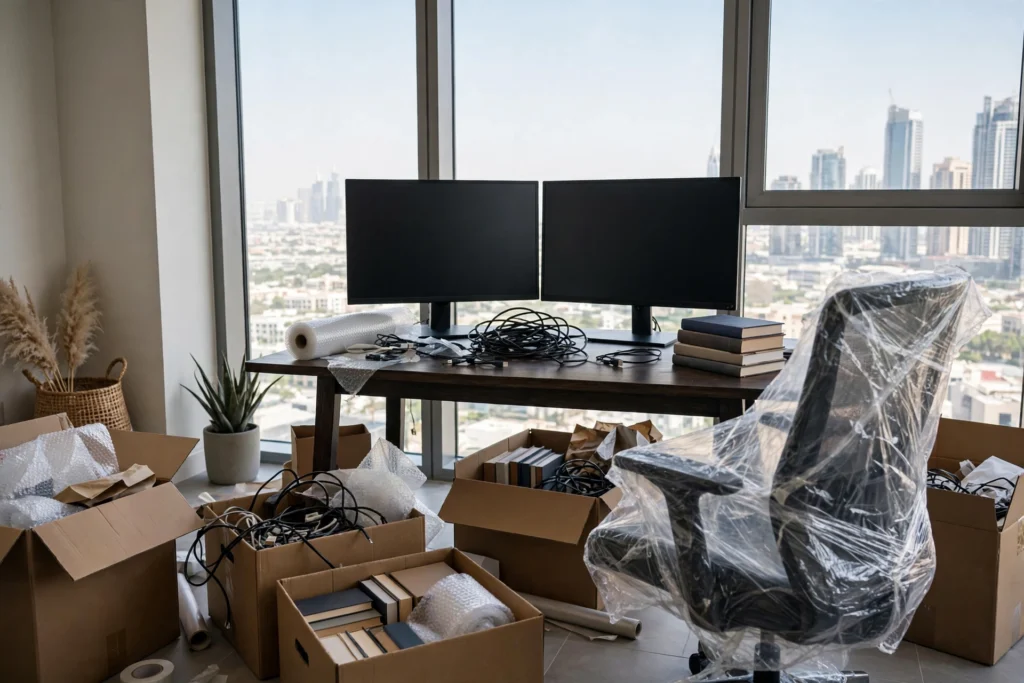
A home office is the easiest room to underestimate. It looks like one desk and a chair, yet it holds your monitors, your computer, a nest of cables, work files and the chair your back depends on. Pack it carelessly and you lose the first working week in your new home to troubleshooting. Pack it properly and you can be back at your desk the morning after the move.
Here is how we recommend remote workers and freelancers across Dubai handle it.
Back Up and Photograph Before You Touch Anything
Before a single cable comes out, back up your computer. Cloud, external drive, ideally both, and keep the drive with you personally rather than in a box. Then take photos of the back of your setup: which cable goes where, how the dock connects, what plugs into the power strip. Two minutes of photos will save you an hour of guesswork when you reconnect everything in a room with different sockets in different places.
While you are at it, check your new home’s internet situation. If the connection needs activating or transferring, start that before moving day, because no amount of good packing fixes a dead router.
Packing Screens, Computers and Small Tech

Monitors are the most commonly damaged items in home moves, and it is almost always the screen face that suffers. Wrap each monitor in bubble wrap with the padding on the screen side, and transport it upright, never flat with weight on top. If you kept the original box, use it; manufacturers design that packaging better than any of us can improvise. Laptops should travel in your own car in a padded bag, not in the truck.
For desktops, remove anything loose inside if you are comfortable doing so, or at minimum make sure the tower travels upright and well cushioned. Keyboards, mice, webcams and headsets can share a box, but coil every cable and keep each device’s cable with the device. A single “cables” box sounds efficient and guarantees a frustrating first evening. If packing tech is not your idea of fun, our packing service handles electronics with the same care we use for business clients.
The Chair, the Desk and the Paperwork
A good office chair is awkward, bulky and expensive to replace. Wrap the arms and back in protective film so castors and levers do not snag or get snapped, and if the chair comes apart, keep the screws in a taped bag attached to the frame. Desks with drawers should be emptied; a full drawer unit is heavier than it looks and hates being tilted.
Paperwork deserves a mention because it is so easy to lose in a move. Client files, contracts, tenancy documents and IDs should go into one clearly marked box, or better, a folder that travels with you. Work archives you rarely open can go into storage or the last-priority boxes. Companies planning a bigger move can also look at how our office relocation team in Dubai sequences IT and furniture for minimal downtime; the same logic scales down beautifully to one desk.
Setting Up Fast in the New Home

Decide where the desk goes before moving day, ideally near a window but not in the path of afternoon sun glare on your screen. In many Dubai apartments the choice is a spare room, a bedroom corner or a section of the living room, and measuring first beats discovering the desk blocks the balcony door.
On arrival, set up in this order: desk, chair, power, computer, screens, then everything else. Test your setup before the movers leave so anything that needs adjusting happens while help is still in the room. Unpack work essentials the same day and leave books and decoration for the weekend. And if your new setup involves equipment from a company office, our guide on IT equipment moving in Dubai covers handling work-issued hardware properly.
Need a hand moving the whole home, office corner included? Call us on +971 56 756 2182 and mention the home office when you book, and we will make sure it is packed as carefully as it deserves.
Frequently Asked Questions
How do I pack a monitor safely for a move?
Back up your data first, then wrap the monitor with bubble wrap padded on the screen side and move it upright, never flat under other items. The original box is ideal if you still have it. Laptops and external drives should travel in your own car rather than the moving truck.
How do I keep track of all the cables?
Photograph the back of your setup before unplugging anything, then coil each cable and keep it with its own device instead of one shared cable box. A few zip bags and labels will save you a long evening when you reconnect everything.
Should my office chair be dismantled before moving?
Only if it comes apart easily. Wrap arms and backrests in protective film, and if you do remove parts, tape the screws in a labelled bag to the chair frame. Empty desk drawers too, as full drawers make furniture heavy and prone to damage when tilted.
How quickly can I be working again after the move?
If your internet is arranged in advance and the office boxes are unpacked first, most people are back at their desk the next morning. Set up desk, chair, power and computer in that order, and test everything before the moving crew leaves.